> ## Documentation Index
> Fetch the complete documentation index at: https://gptone.mintlify.site/llms.txt
> Use this file to discover all available pages before exploring further.
# AI Scan
> Advanced AI detection with 99.99% accuracy - Identify AI-generated content instantly!
Paste your text and get instant AI detection results with detailed analysis and confidence scores.
## How AI Detection Works
Our advanced engine analyzes multiple linguistic patterns to identify AI-generated content.
• Sentence structure patterns
• Vocabulary usage consistency
• Writing flow transitions
• Stylistic fingerprints
• Multi-model recognition
• Context-aware analysis
• Confidence scoring
• Real-time processing
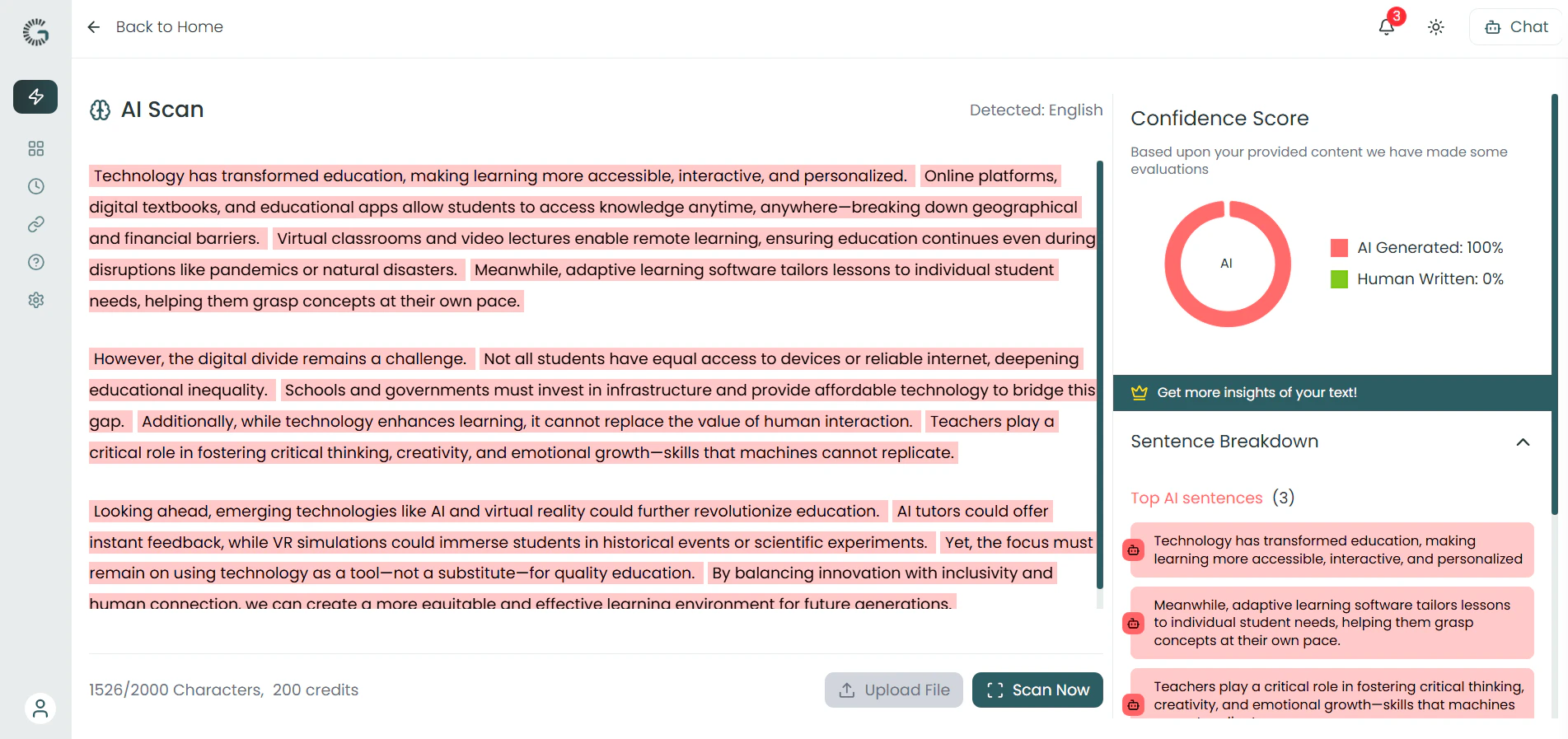 ## Getting Started with AI Scan
Follow these simple steps to detect AI-generated content instantly.
**1. Take sample text or Upload File**
## Getting Started with AI Scan
Follow these simple steps to detect AI-generated content instantly.
**1. Take sample text or Upload File**
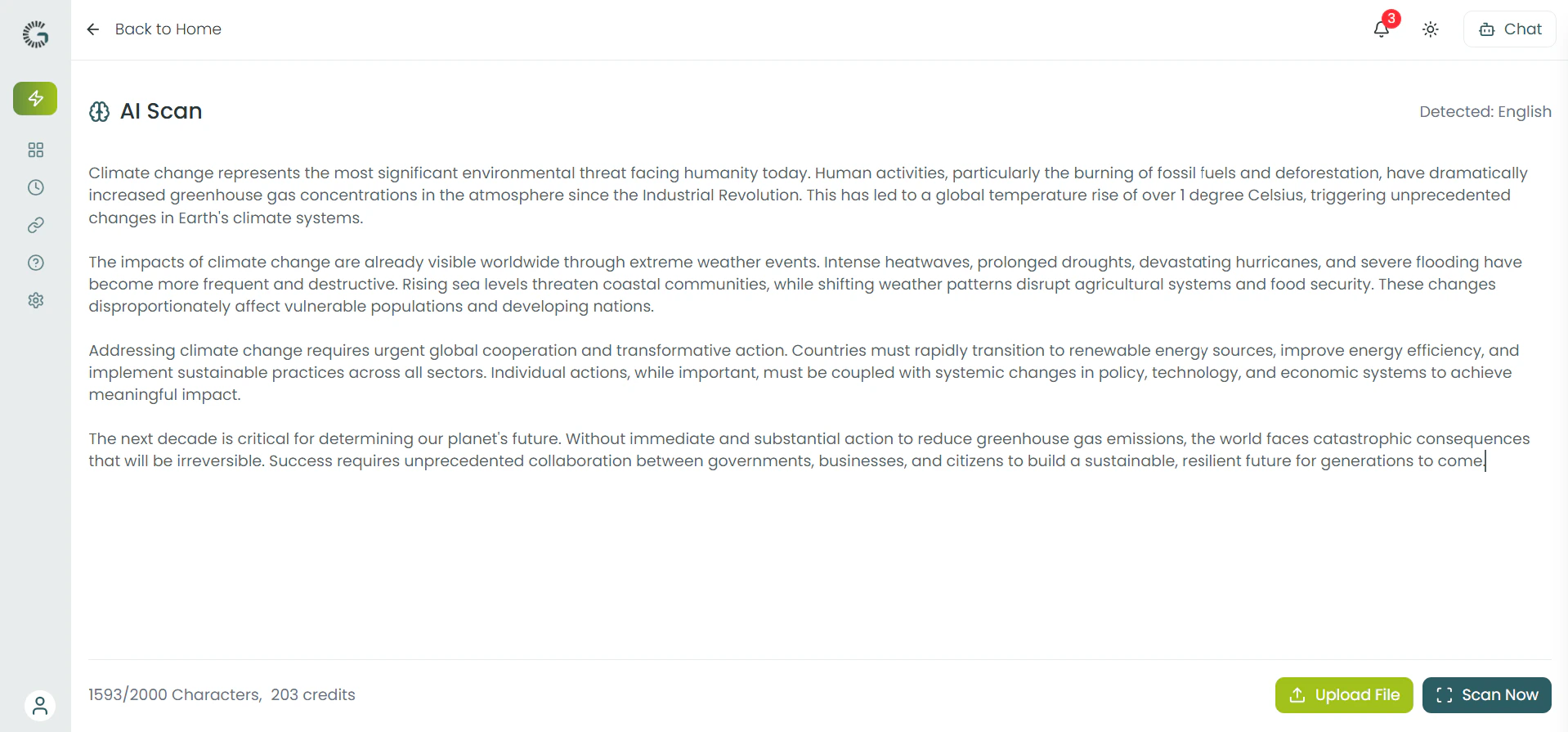
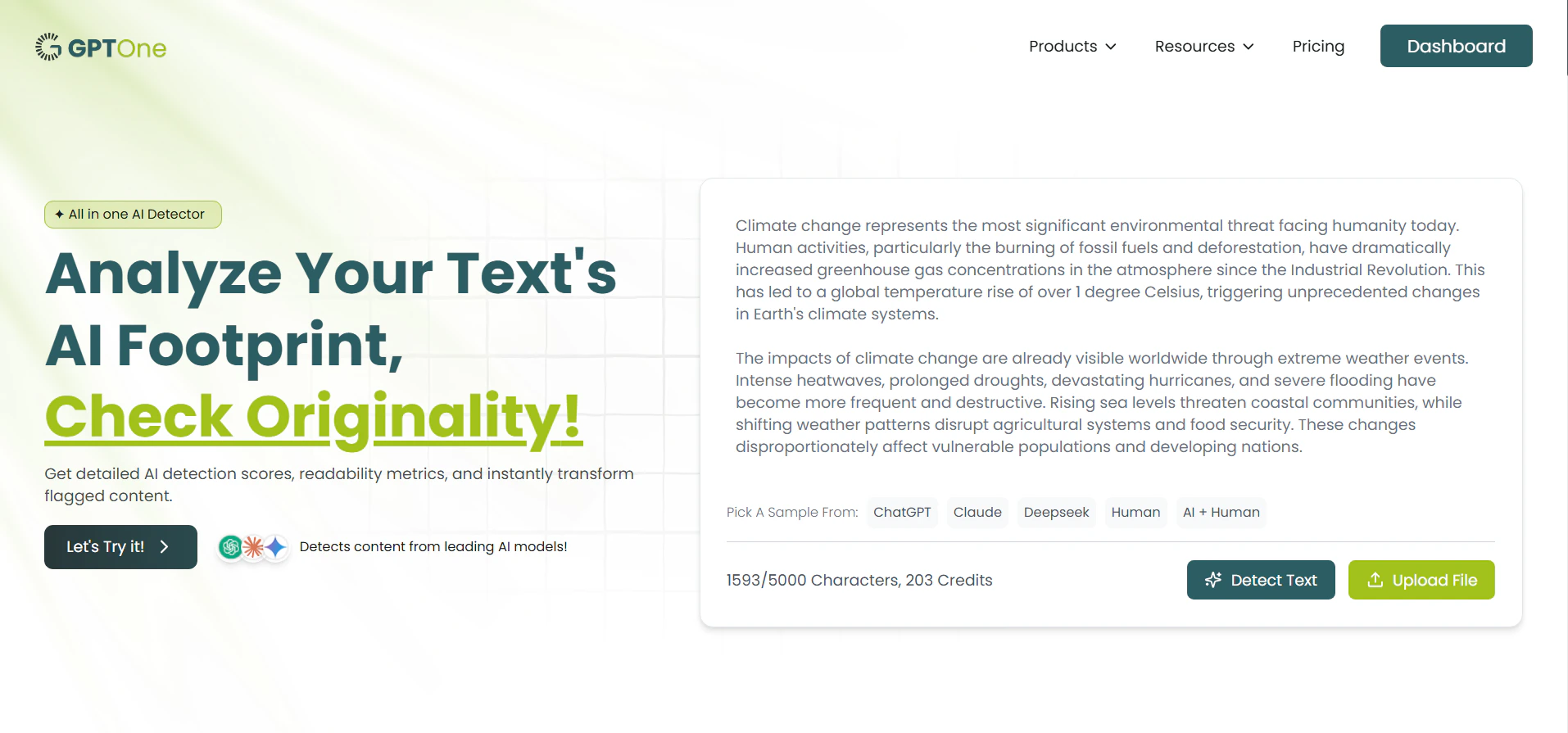 **2. Type in the editor**
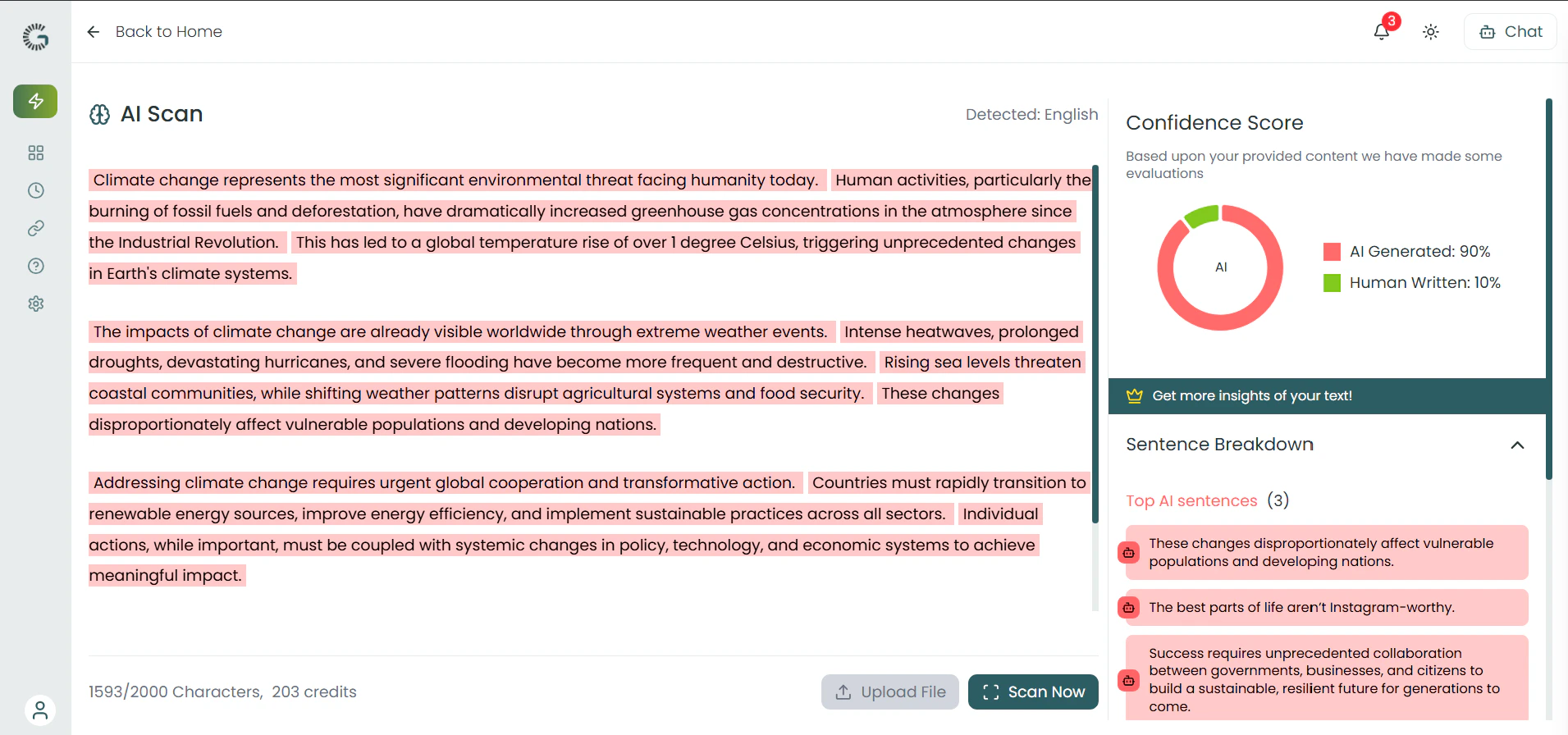
 **3. Get Results**
 **3. Share or Download your Result**
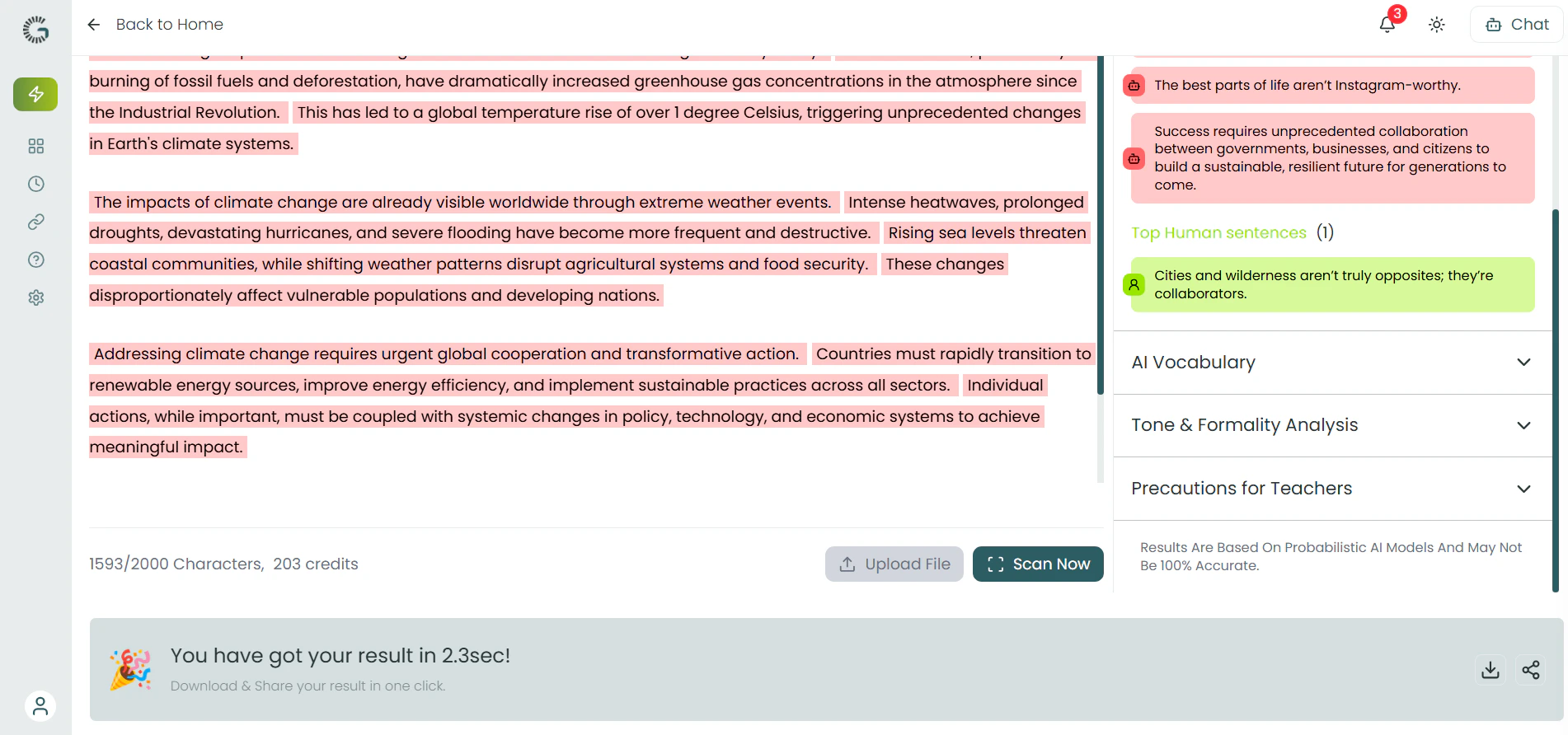 ## Understanding Your Results
Learn to interpret AI detection scores and make informed decisions.
Low likelihood of AI generation. Text shows natural human writing patterns and authentic voice.
Uncertain classification. May contain both human and AI-generated sections requiring review.
High likelihood of AI generation. Shows typical AI writing patterns and structures.
## Advanced Analysis Features
Go beyond basic detection with professional-grade analysis tools.
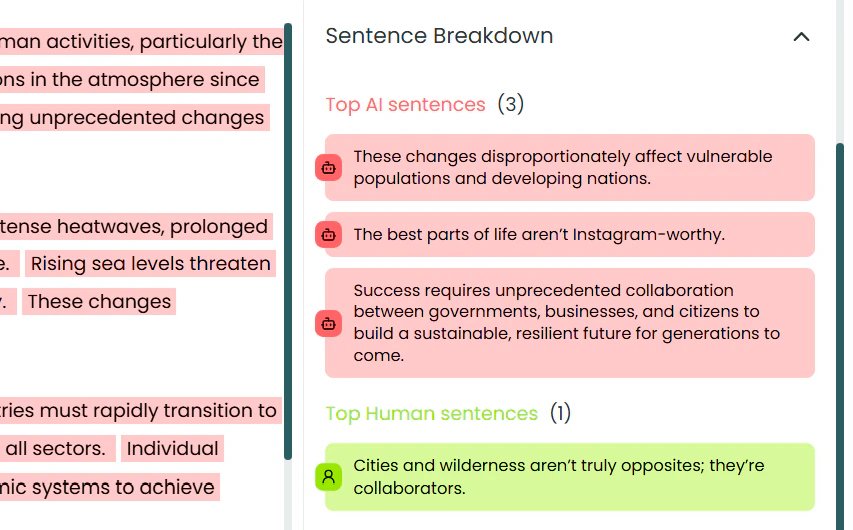
• Individual sentence scoring
## Understanding Your Results
Learn to interpret AI detection scores and make informed decisions.
Low likelihood of AI generation. Text shows natural human writing patterns and authentic voice.
Uncertain classification. May contain both human and AI-generated sections requiring review.
High likelihood of AI generation. Shows typical AI writing patterns and structures.
## Advanced Analysis Features
Go beyond basic detection with professional-grade analysis tools.
• Individual sentence scoring
• Color-coded highlighting
• Pattern identification
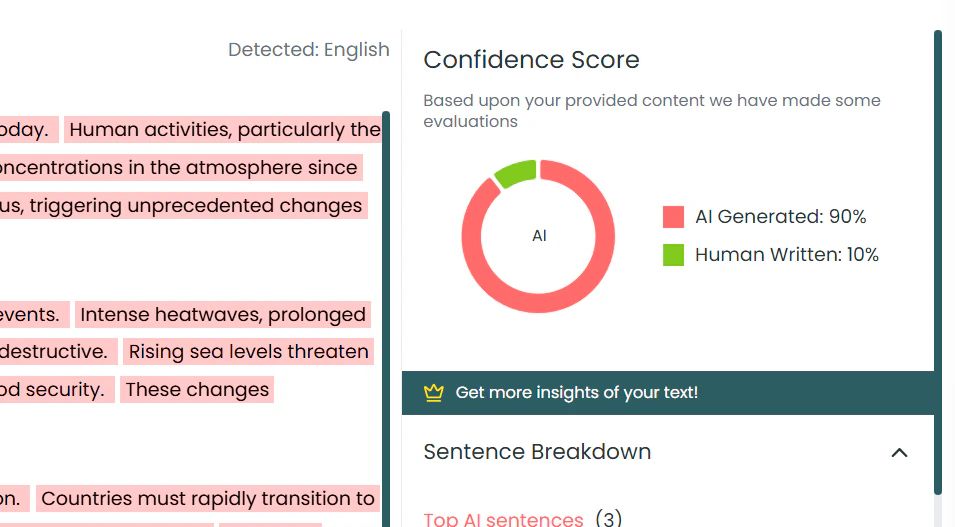
• High confidence (90-100%)
• Medium confidence (70-89%)
• Low confidence (50-69%)
 ## Professional Features
Powerful tools for educators, businesses, and content professionals.
• Process up to 5 files simultaneously
## Professional Features
Powerful tools for educators, businesses, and content professionals.
• Process up to 5 files simultaneously
• Bulk analysis reports
• Automated workflows
• PDF detailed reports
• CSV data export
• JSON for developers
• Custom formatting
• Before/after analysis
• Track improvements
• Humanization tracking
• Change documentation
• RESTful API access
• Webhook integration
• Custom applications
• Automated processing
## Troubleshooting & Tips
Common issues and solutions for optimal AI detection results.
• Short text samples (\< 30 words)
• Technical jargon false positives
• Formal writing high scores
• Mixed language content
• Use longer text samples
• Consider writing context
• Check confidence levels
• Review multiple analyses
## Accuracy & Limitations
Understanding the capabilities and boundaries of AI detection.
**99.99% accuracy** on text samples over 100 words, with higher accuracy for longer content and newer AI models.
• Text length (longer = better)
• Subject matter complexity
• Language and region
• AI model evolution
• 100+ word samples
• Standard English text
• Complete sentences
• Clear context
## Integration Workflows
Seamlessly connect AI Scan with other GPTOne tools.
1. **AI Scan** - Detect artificial content
2. **Humanizer** - Improve naturalness
3. **Grammar Check** - Fix errors
4. **Re-scan** - Verify improvements
1. **AI Scan** - Initial detection
2. **Word Count** - Analyze statistics
3. **Export Report** - Document findings
4. **Archive Results** - Maintain records
## Frequently Asked Questions
**Q: How accurate is AI detection?**
A: 99.99% accuracy on 100+ word samples, with continuous improvement as AI models evolve.
**Q: Which AI models can it detect?**
A: GPT, Claude, Gemini, DeepSeek, and other major models, with regular updates for new releases.
**Q: Is my text stored or saved?**
A: No, text is processed in real-time and not permanently stored for privacy protection.
**Q: What about false positives?**
A: Consider confidence levels and context. Technical writing may naturally score higher.
## Ready to Get Started?
Try AI Scan now with your own text and experience the power of advanced AI detection.
***
**Need to improve detected AI content?** Try our [Humanizer Tool](/ai-tools/humanizer) or polish your text with [Grammar Scan](/ai-tools/grammar-scan).